In a Filament form, sometimes you may need an action button somewhere in the middle of the form to change some input values on-the-fly dynamically. Let’s see how to do it.
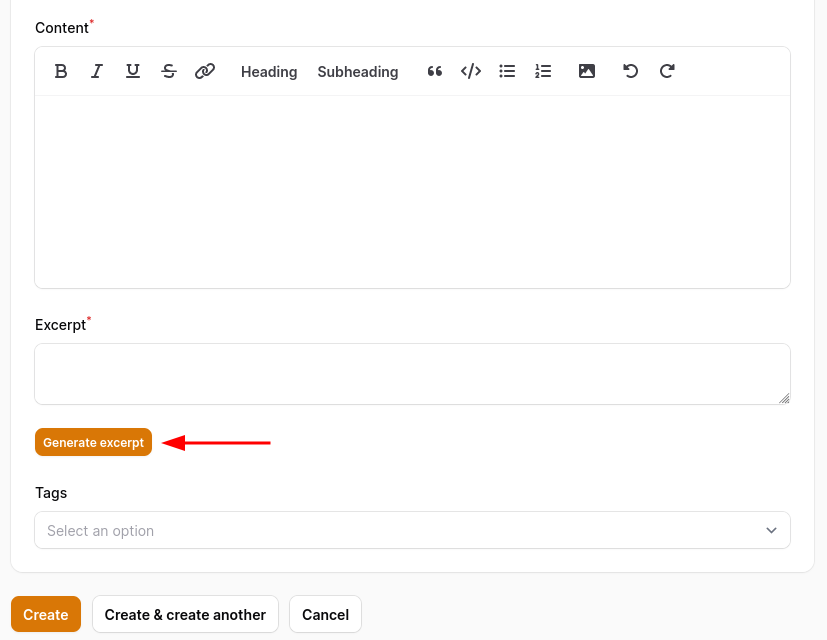
For this example, let’s add a simple button to generate a short excerpt from the content field value. First, these two fields would look like so:
use Filament\Forms;

Forms\Components\RichEditor::make('content')
    ->live(onBlur: true)
    ->required(),
Forms\Components\Textarea::make('excerpt')
    ->required(),
For the content field, we need to add the live() method to update its value as it is typed. In this case, we can add onBlur so that it would be updated only after the user clicks away from the input.
Now let’s add the Action button. Because we are adding this button under the excerpt field, the code for the action needs to go after it.
use Filament\Forms;

Forms\Components\RichEditor::make('content')
    ->live(onBlur: true)
    ->required(),
Forms\Components\Textarea::make('excerpt')
    ->required(),
Forms\Components\Actions::make([
    Forms\Components\Actions\Action::make('Generate excerpt')
        ->action(function (Forms\Get $get, Forms\Set $set) {
            $set('excerpt', str($get('content'))->words(45, end: ''));
        })
]),
As you can see, first, we need to add Forms\Components\Actions and only then the action button itself.
As for the action itself, we are using Livewire magic actions $set for setting other fields’ value and $get for getting fields’ value.
Leave a Reply